Your fishing. In one place.
Keep your own digital fishing Ledger, record every catch – including the days the fish didn’t bite – and watch how your fishing develops over time.
fishyfishy gathers your catches, species, waters, fishing days and records from what you post, by itself. At the same time you can plan trips with your friends, discover new waters, see what other anglers are catching, and share your own fishing exactly as much as you want to.
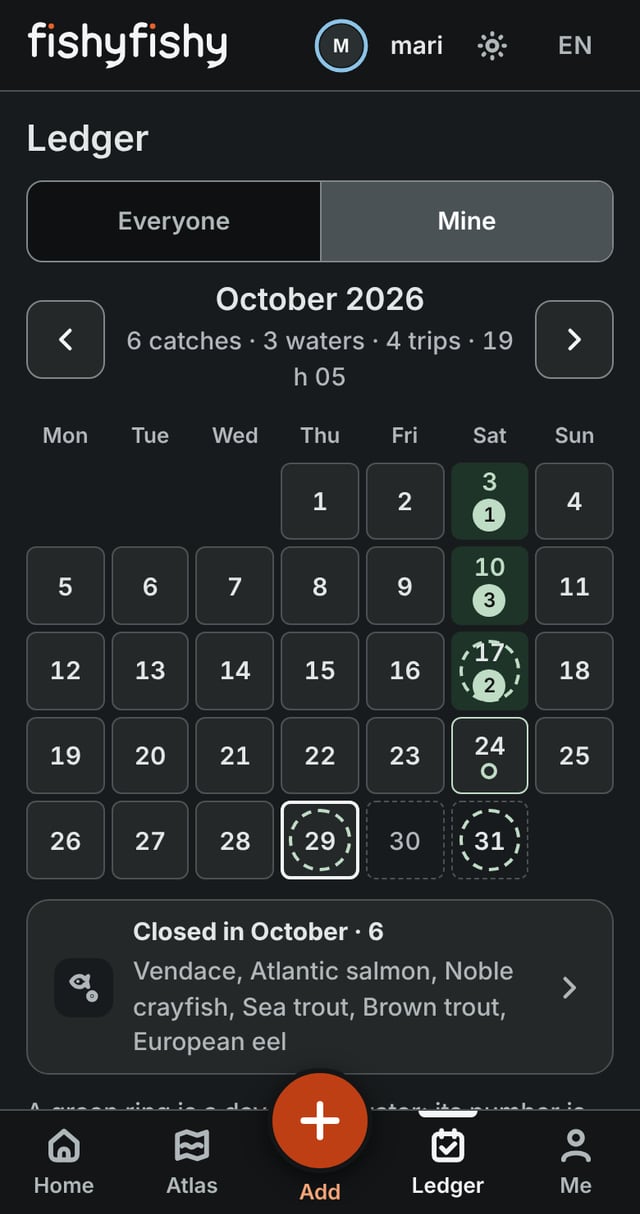
All your fishing days gather in the Ledger by themselves.
You see at a glance when and how actively you have been out, which months were the busiest and how your fishing has changed over time.
Blank days are in the Ledger too, so you have the full picture of every trip and see your fishing history as it unfolds.
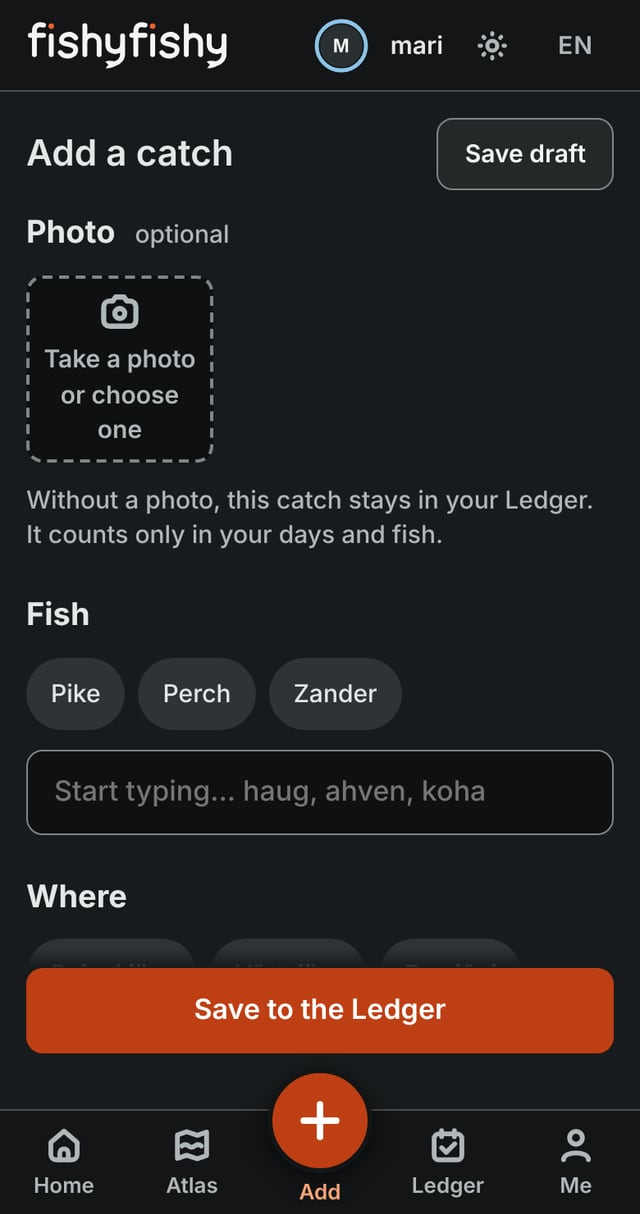
A catch in a few taps.
Pick the fish and the water. Your last ones are one tap away. The photo, the size and the method only if you want them. You can also note whether you fished from a boat and whether the fish was released.
A catch can be added afterwards, too. And if you caught nothing, you can write that down as well – a blank day is part of your fishing story.
All your fishing days stay in fishyfishy, and from them your digital fishing Ledger takes shape by itself.
A catch without a photo stays in your Ledger. With a photo, you can also share it.
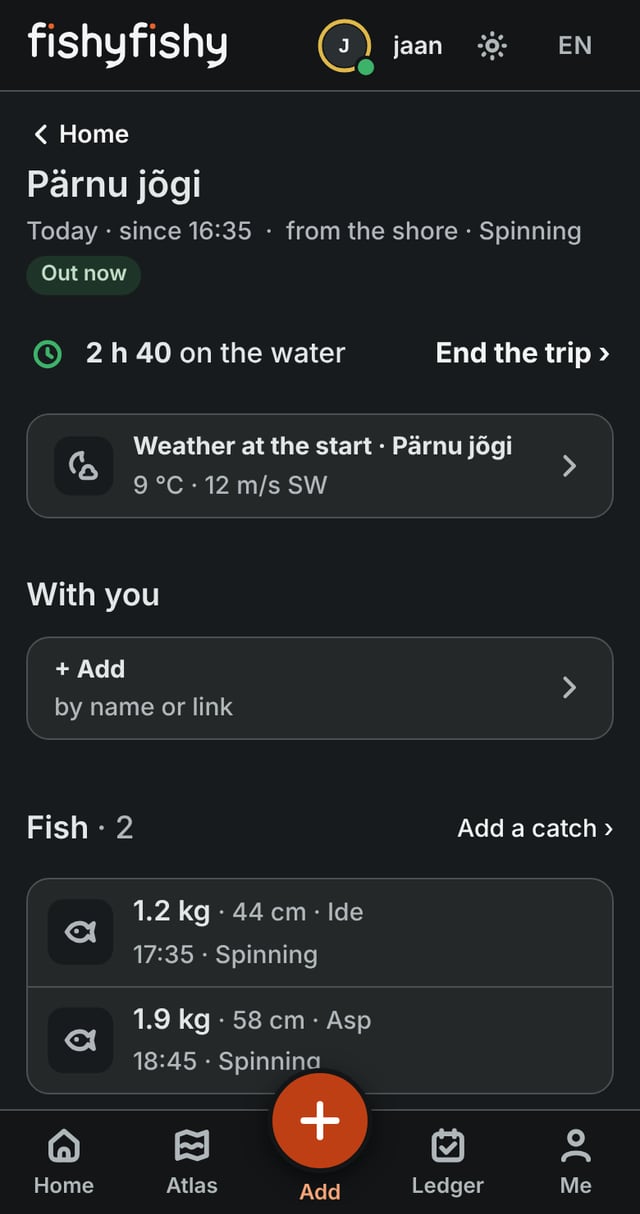
Start a trip and let your fishing day keep its own time.
When the trip starts, the clock on your fishing starts with it, and you get the next eight hours of weather. The start time and the length of the trip are visible only to you.
Others see only that one angler is out on the water right now — not your name, not the water. Catches added during the trip are tied to it by themselves, so later you can compare the conditions you caught in.
You end the trip whenever it suits you, and everything about it stays in your personal fishing Ledger.
Forgot to start? Add the trip afterwards and note how long you were out.
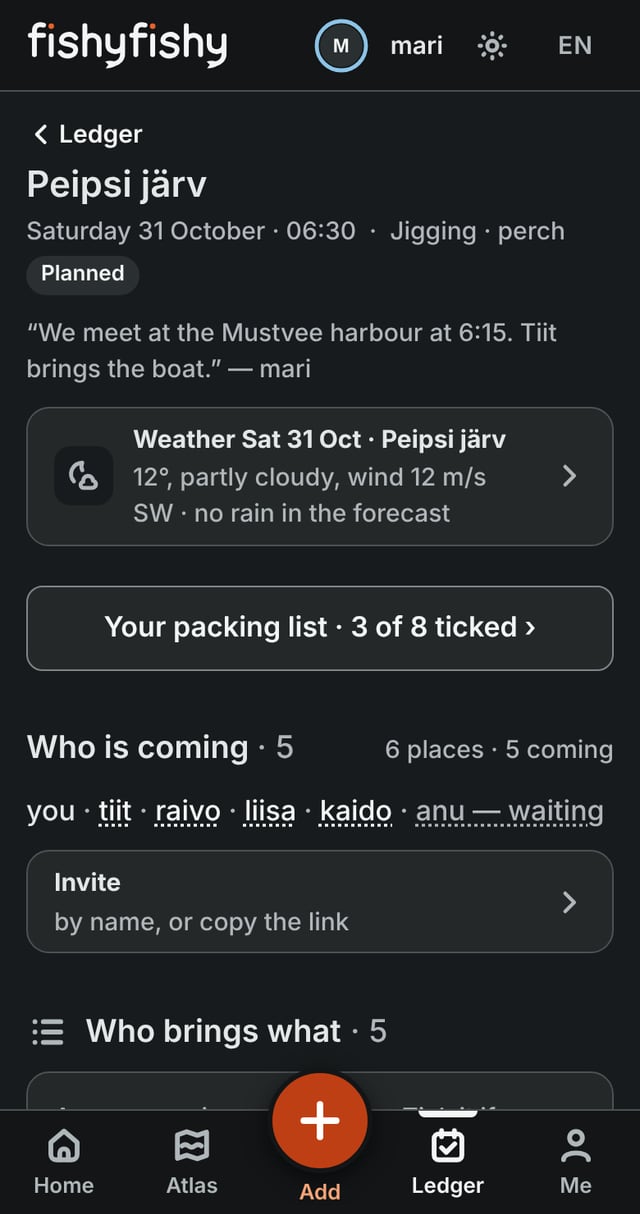
Plan a trip with your friends.
Pick the day and the water, and invite people by name or with a link. Everyone sees the same page: who is coming, the weather, who brings what, and the talk.
On the day, the organiser starts the trip for everyone.
Do you organise trips for others? There is a page for you: For organisers ›
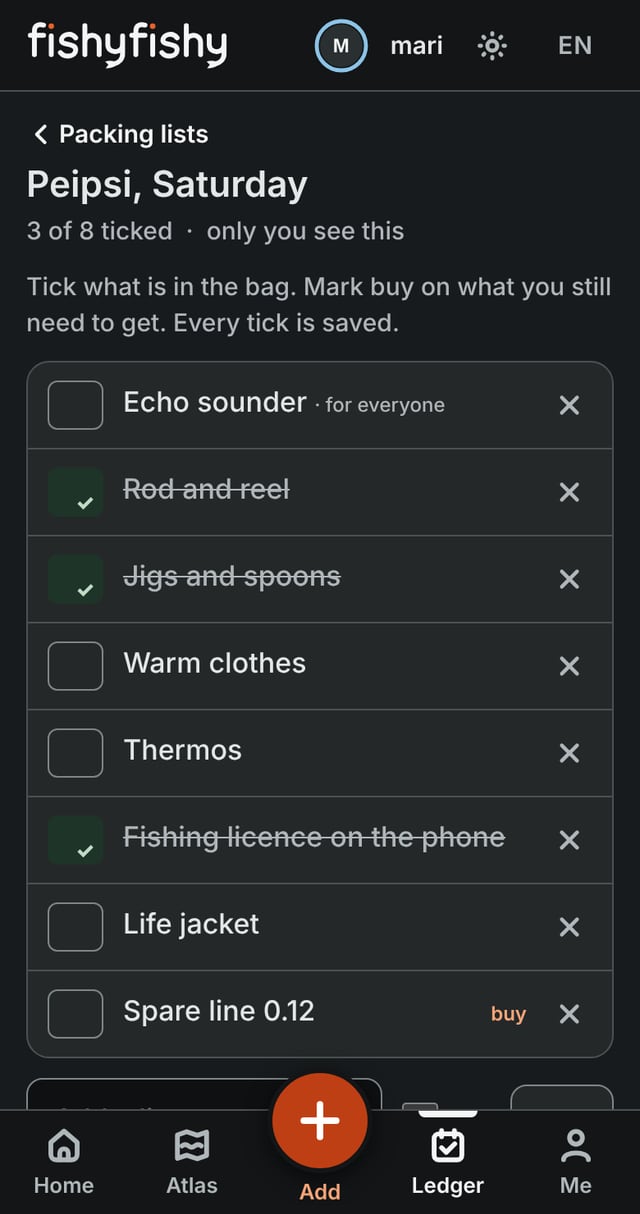
Pack once. Use the list again.
Keep a packing list for each trip and tick things off. Next time, start from the same list.
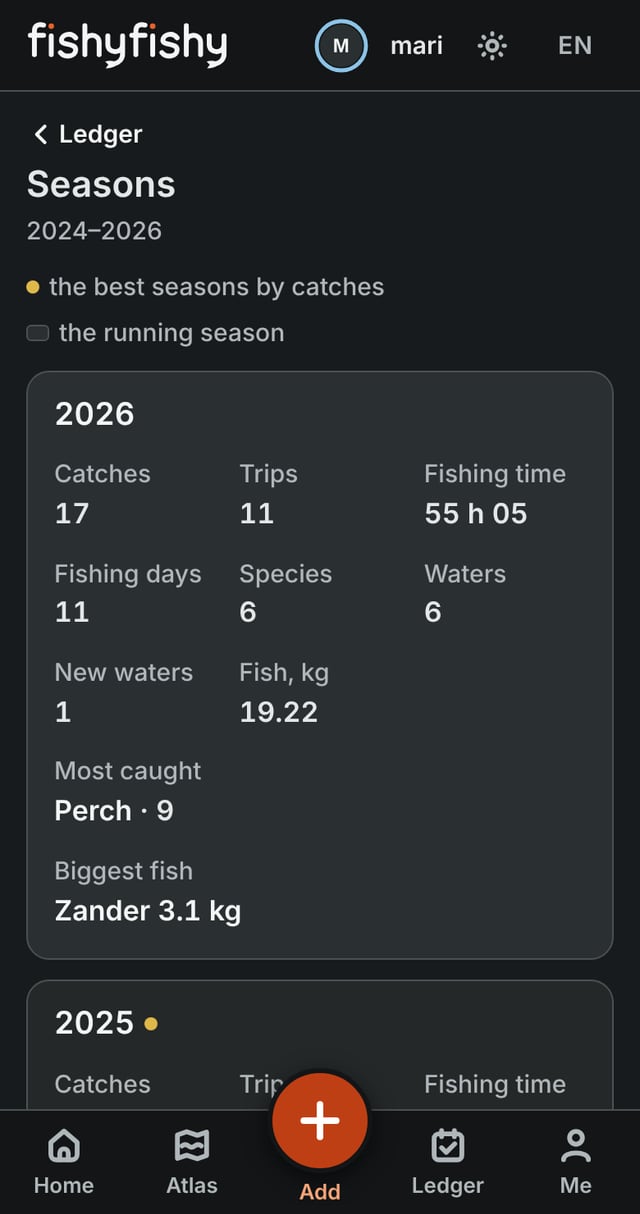
Everything you have caught, and every water you have fished, gathers in your Ledger.
You see your catches, fishing days, species and the waters you have visited – which fish you have caught most and which months have been your most active.
Bigger and longer fish, the first catch of the year, the most-caught species and other measures of your fishing come from your data automatically.
The hours you spend on the water are yours alone, unless you choose to show them.
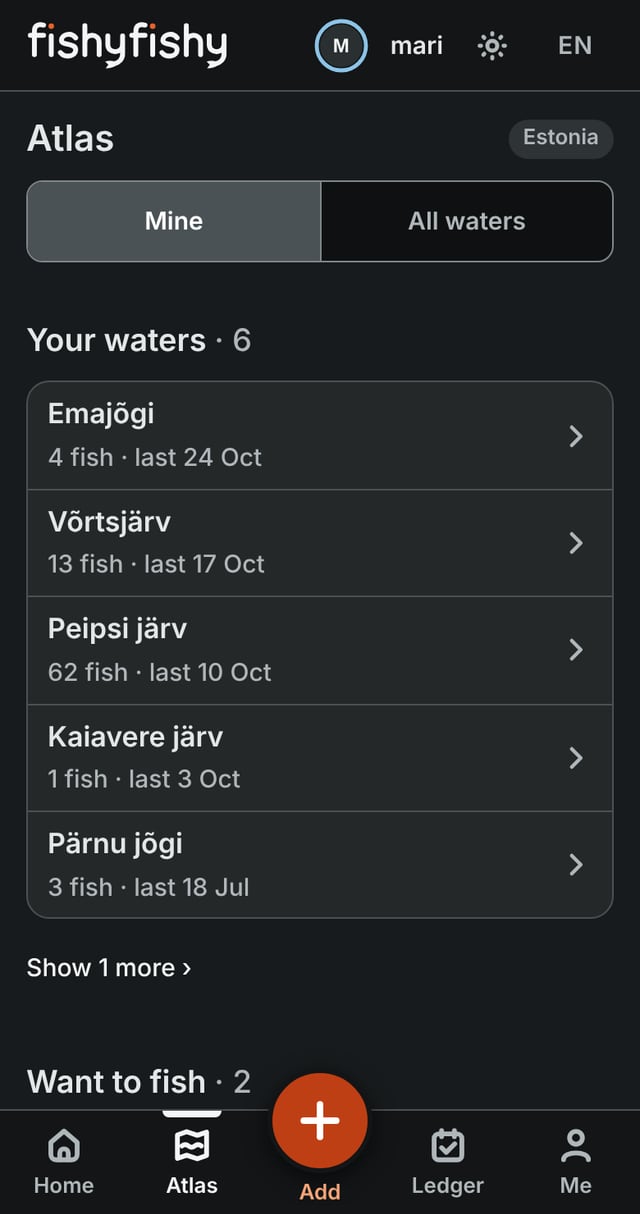
The waters you have fished, and a list of the waters you plan to go to.
Atlas shows the waters you have fished and what you caught there. Tap Want to fish on any water to keep it on your list.
The site never asks for your spot. It is marked only when you tap at the water, and it stays yours unless you share it.
If a water is missing from fishyfishy, anglers can propose it themselves.
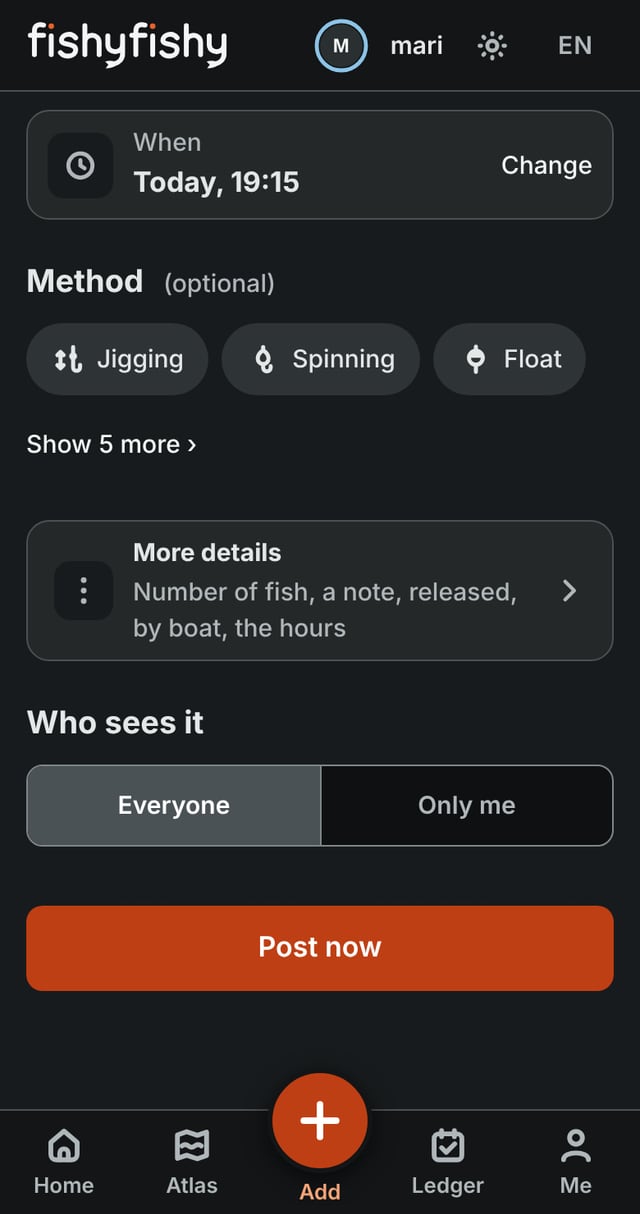
fishyfishy gives you control over what others see.
If you wish, you can use fishyfishy entirely privately, as a personal digital fishing Ledger. If you want to share your catches, you can make them public and be part of the anglers’ community.
And the exact location of a spot never has to become public.
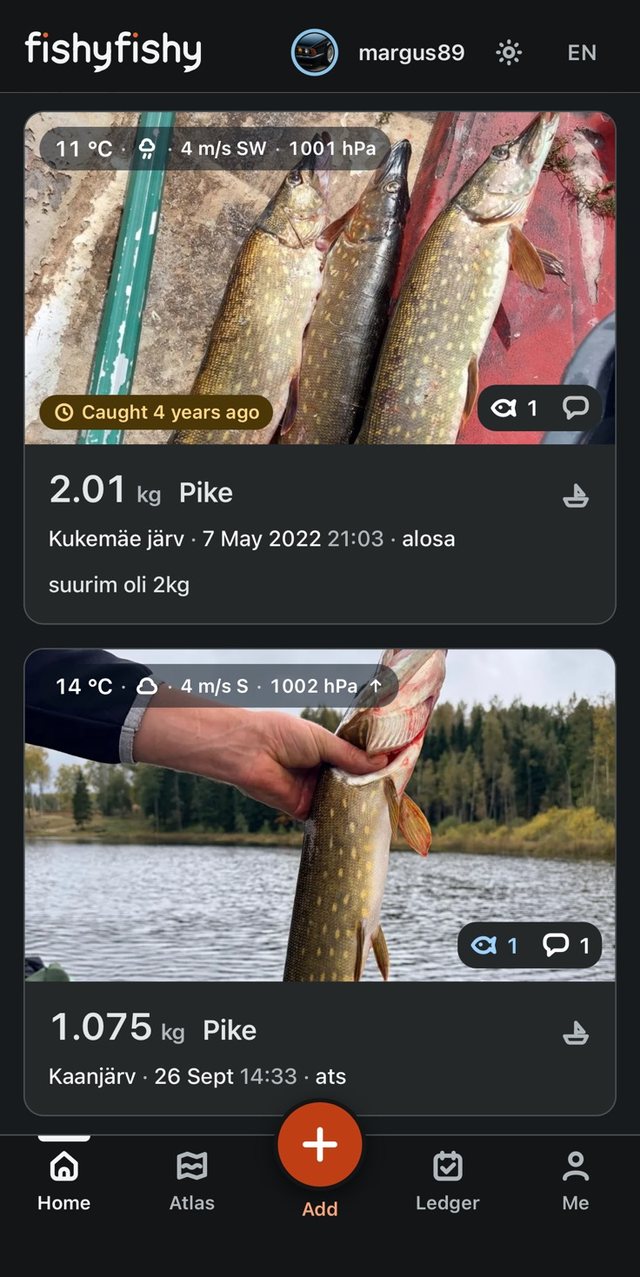
Every angler’s catch in one feed.
See what others are catching, how big their fish are and in what conditions they were landed. Next to a catch you see, among other things, the fish’s weight and length and the weather at the spot at that moment.
Only publicly posted catches count on Top, and the boards start afresh every month and every year. So every new period gives everyone a chance to fish their way to a place on them.
A challenge is for your own circle – invite anglers by name or share the joining link. To take part, you simply post your catches during the period – every catch that meets the rules goes onto the challenge’s board by itself.
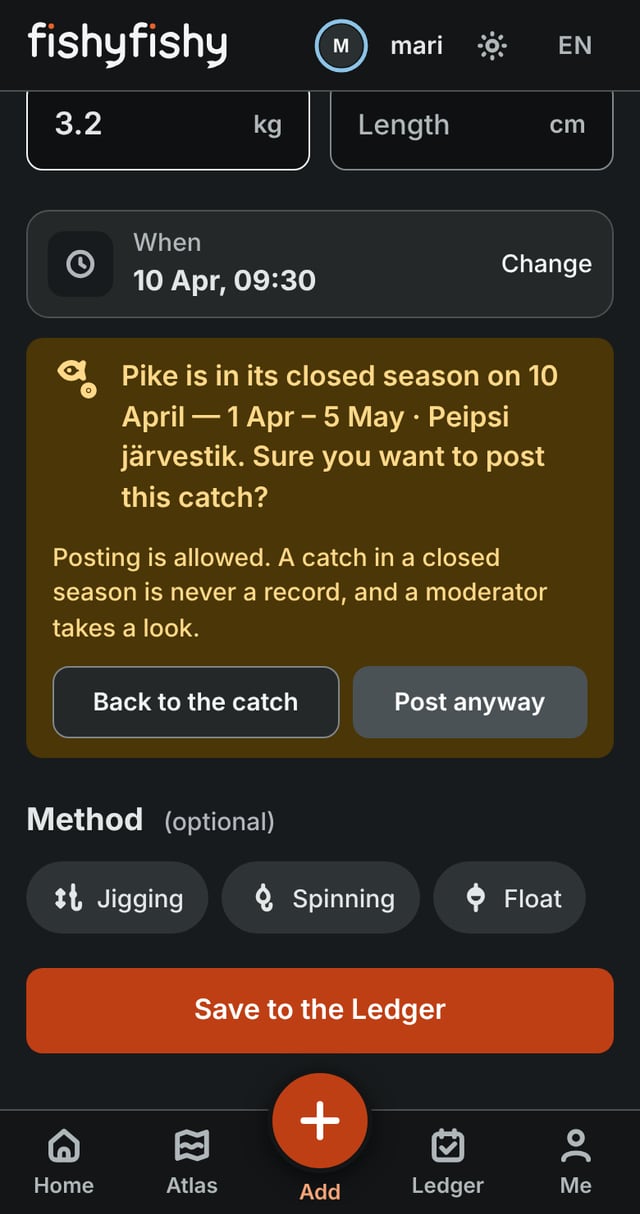
fishyfishy also helps you notice the closed seasons in the fishing rules.
Closed seasons are tied to species and, where needed, to waters. If the date of a catch you add falls in a closed season, fishyfishy tells you before you post.
A simple warning at the right moment – the decision always stays with the angler.
fishyfishy on your phone – like an app
Put fishyfishy on your home screen: it opens full-screen, without the browser bars, in one tap.
The first time you open it from the home screen, log in once – from then on it remembers you.
You already open fishyfishy from the home screen.
Your fishing. In one place.
Your first catch can be the one you landed last year.
For organisers · Privacy notice · Terms of use · Help & contact